
Get your Airbnb revenue calculator right
Before you plug numbers into an Airbnb revenue calculator, you need to ensure the inputs reflect reality. A calculator is only as good as the data behind it. If you enter generic assumptions, you get generic results that won't guide your actual business decisions.
Verify market data freshness
Start by checking if the tool you are using pulls from live short-term rental (STR) market data. Platforms like AirDNA and Rabbu update their occupancy and average daily rate (ADR) metrics weekly. Using stale data from six months ago will skew your projections, especially in seasonal markets. Look for a "last updated" timestamp on the comp data source. If the tool relies on static industry averages rather than address-specific comps, the output will likely be inaccurate for your specific property.
Define your operating budget
Revenue is not profit. To get a true ROI, you must account for your specific expense structure. Before running the calculation, list your hard costs (mortgage, insurance, property taxes) and variable costs (cleaning fees, utilities, supplies, management fees). A common mistake is ignoring the 20%+ soft costs associated with turnover and maintenance. Enter these as percentage deductions or fixed monthly amounts in the calculator's expense section. This ensures the "net revenue" figure reflects what actually lands in your bank account.
Set realistic occupancy baselines
Don't assume 100% occupancy. Even top-performing listings in high-demand areas typically see 60-75% occupancy annually due to seasonality and turnover gaps. Use the calculator's "conservative" or "average" occupancy settings rather than the "optimistic" scenario. This provides a stress-tested view of your cash flow. If your property is in a niche market or subject to strict local regulations, lower this baseline further to account for potential booking restrictions.
Align pricing with local comps
Your assumed ADR should match comparable listings in your immediate neighborhood, not the city-wide average. A luxury condo in downtown Austin will have a different rate structure than a suburban house in the suburbs. Use the calculator's "comp set" feature to select 5-10 similar properties. This ensures your projected revenue is grounded in what guests are actually willing to pay for your specific asset class and location.
Run the Airbnb Revenue Calculator
To get a realistic ROI projection, you need to move beyond rough guesses and use a tool built on real short-term rental data. Platforms like AirDNA and Rabbu pull from thousands of active listings to estimate occupancy and average daily rates (ADR) for specific neighborhoods.
Follow this sequence to input your data and interpret the results accurately.

Start by entering the exact street address. Select the property type (entire home, private room, etc.) and the number of bedrooms. Be precise; even a slight mismatch in location can skew the comp data if the neighborhood has distinct pricing tiers.
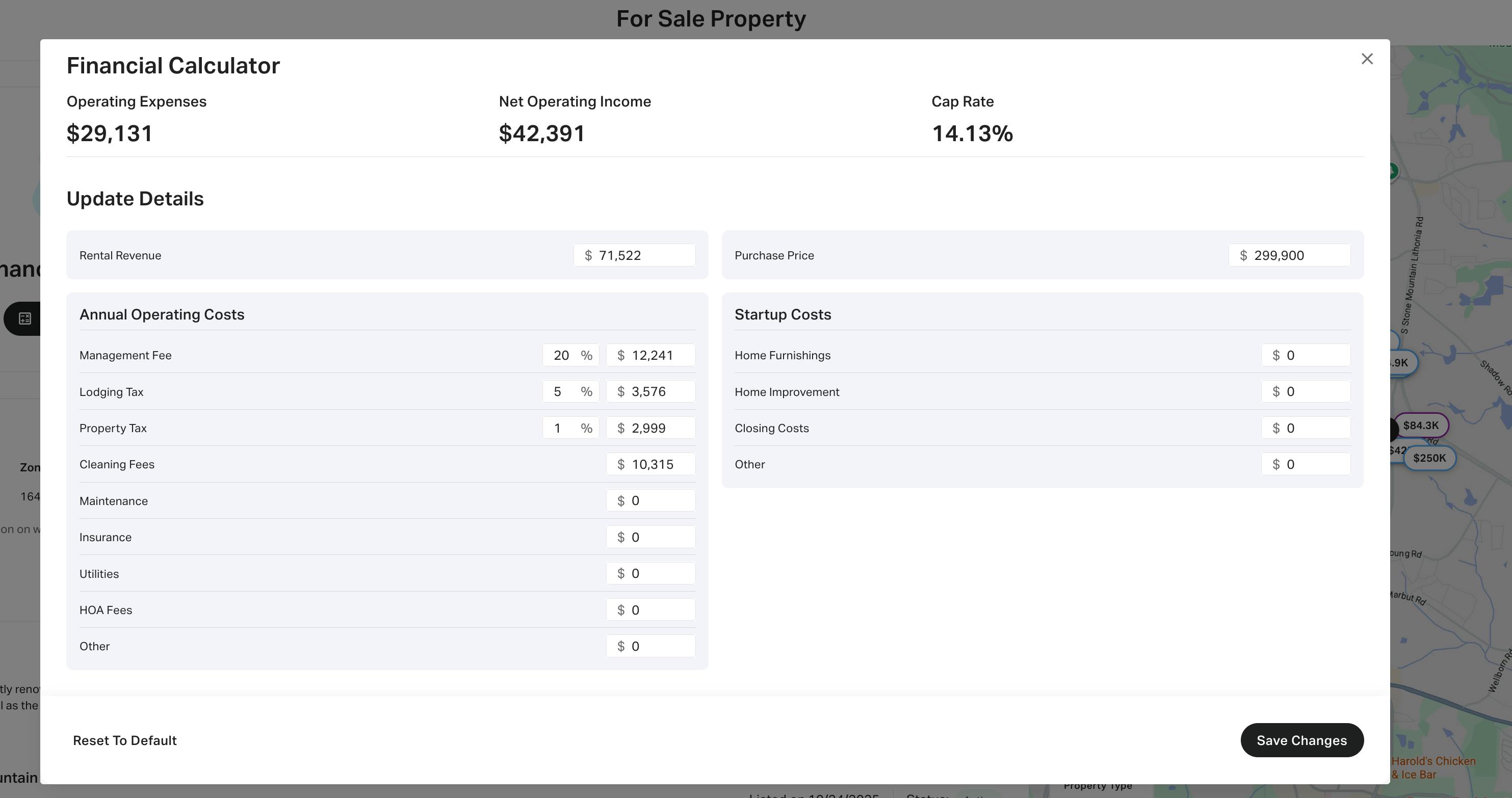
Most free calculators only show gross revenue. To see true profit, input your variable costs: cleaning fees, platform service fees (typically 3%), and utilities. If you use a property manager, add their percentage (usually 20–25%). This step reveals the net operating income (NOI).

Select between static, semi-dynamic, or fully dynamic pricing. Static pricing uses the neighborhood average. Dynamic pricing adjusts for weekends, holidays, and local events. For a 2026 ROI analysis, dynamic pricing usually yields a 15–20% revenue increase over static rates in high-demand areas.
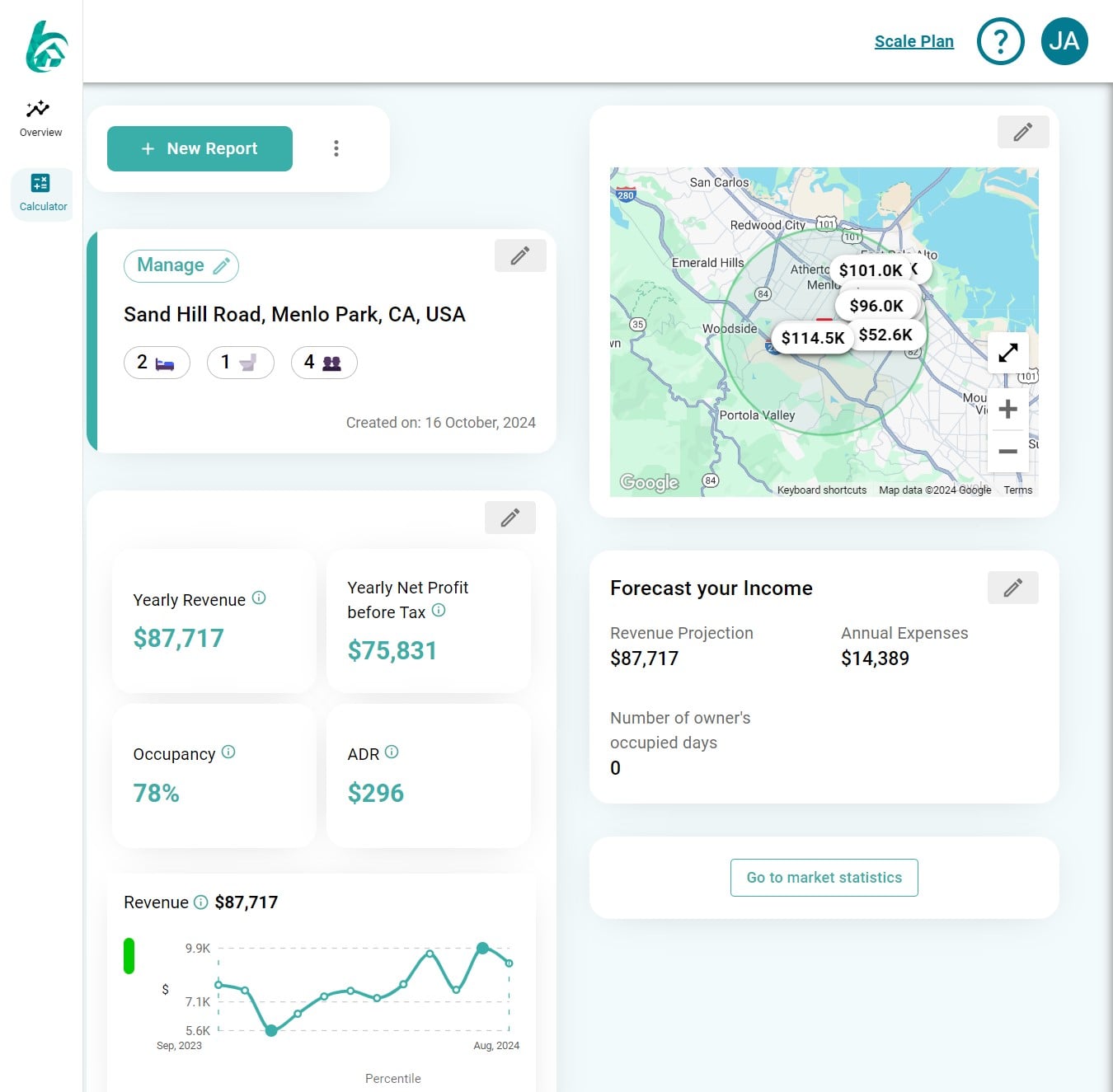
Look at the projected occupancy rate and Average Daily Rate (ADR). Compare these against the market median. If your projected ADR is significantly higher than the comp set, ensure your listing has comparable amenities or unique value propositions to justify the premium.
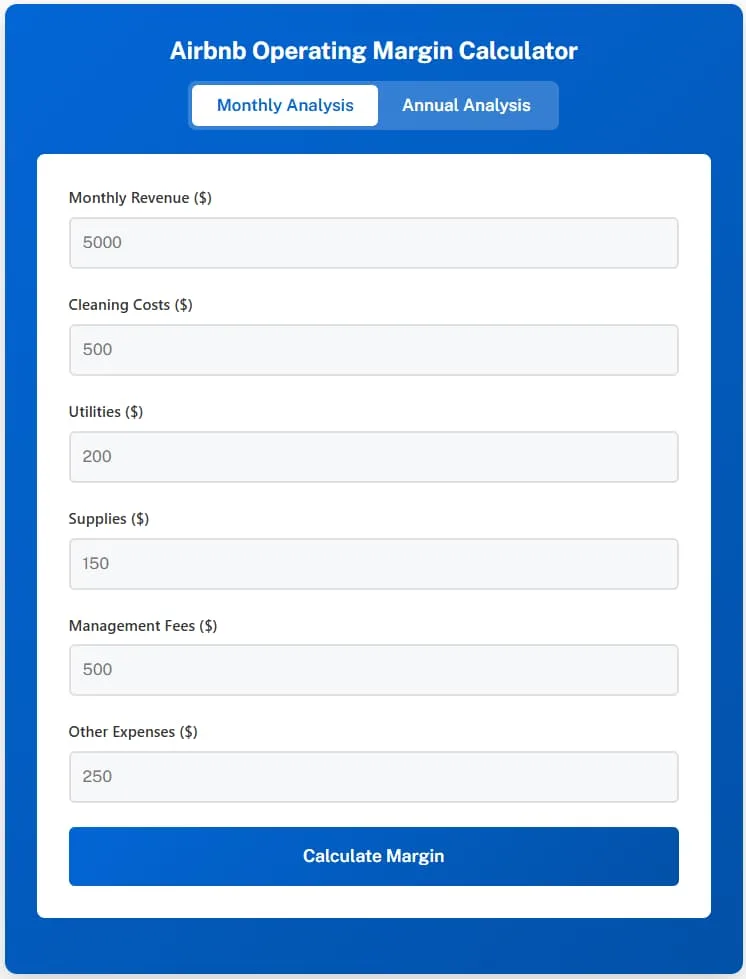
Subtract your fixed costs (mortgage, insurance, taxes) from the projected net income. Determine how many nights per month you need to book just to cover these expenses. This number is your break-even occupancy rate. If it exceeds 60%, the investment carries higher risk.
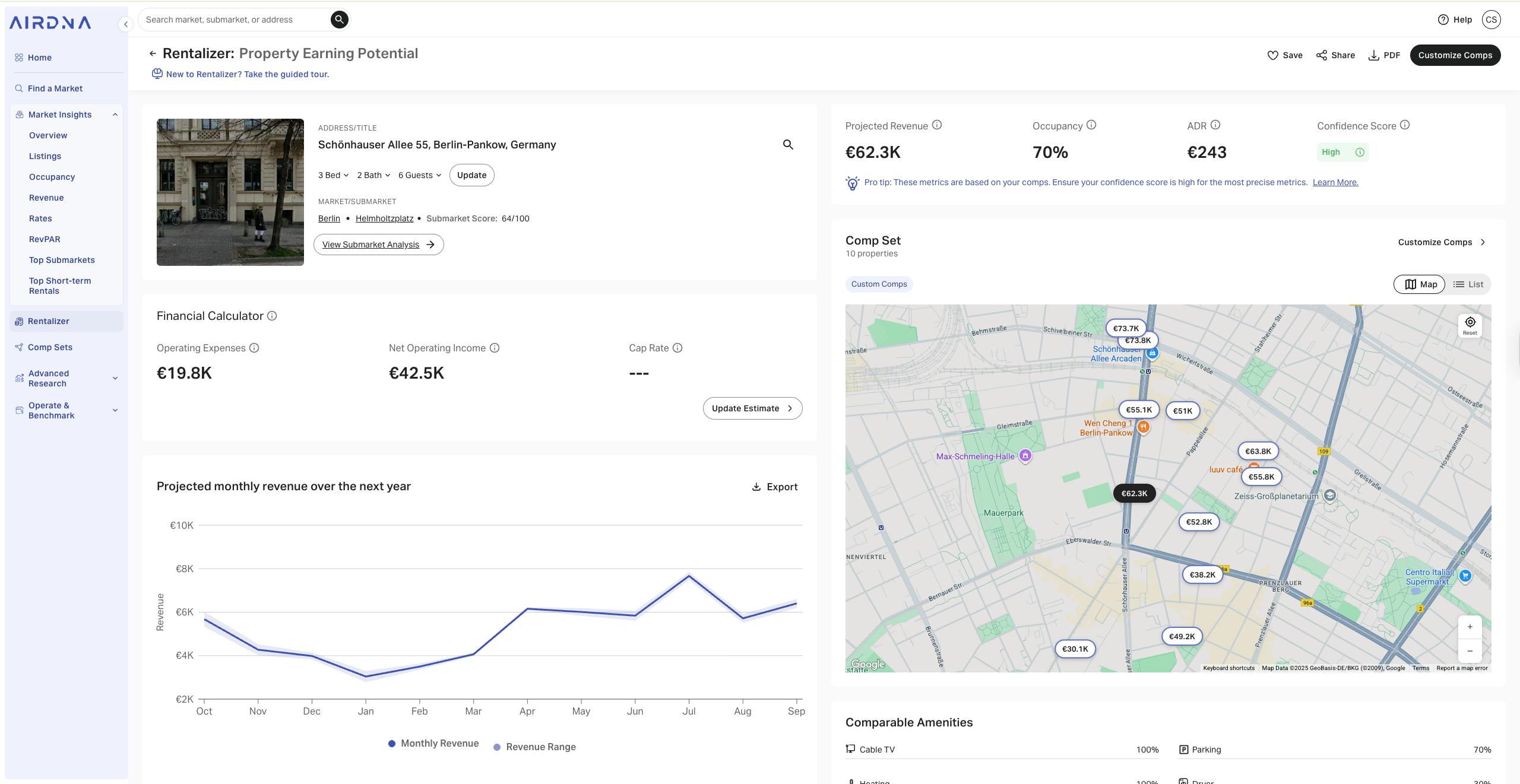
Cross-reference your results with a second calculator like Rabbu or Mashvisor. Small discrepancies are normal, but if one tool shows 80% occupancy and another shows 40%, investigate the data sources. Consistent results across platforms increase confidence in your ROI forecast.
Common Airbnb Revenue Calculator Mistakes
Even the most sophisticated Airbnb revenue calculator will return misleading numbers if the inputs don't reflect reality. Many hosts treat these projections as guarantees rather than estimates based on historical data. To get a realistic picture of your potential ROI, you need to audit your assumptions before you commit to a pricing strategy.
Ignoring Seasonal Variance
The biggest error in revenue projections is assuming a flat occupancy rate year-round. A static 70% occupancy figure looks attractive on a spreadsheet but rarely matches the reality of a short-term rental market. Seasonal demand fluctuates wildly between peak summer weeks and slow winter months.
Adjust your calculator inputs to reflect true seasonality. If your market sees a 40% drop in demand during off-peak months, your annualized revenue will be significantly lower than a simple average suggests. Use tools like AirDNA or Rabbu that pull from real, weekly-updated comp data to capture these natural dips and peaks accurately.
Overestimating Average Daily Rate (ADR)
Hosts often plug in their "dream" nightly rate instead of the actual market rate for comparable properties. This creates a revenue bubble that disappears as soon as you list. Your ADR must be based on similar listings in your immediate neighborhood, not the luxury properties across town.
Check the median ADR of your top five competitors. If they are priced at $200 per night, projecting $250 will skew your entire financial model. Remember that dynamic pricing algorithms work best when they have a realistic baseline. If your baseline is too high, the algorithm may price your property out of the market entirely.
Underestimating Operating Expenses
Revenue is not profit. A common mistake is calculating gross income without subtracting the full cost of operations. Many hosts forget to include cleaning fees, maintenance reserves, property management fees, and platform service fees in their net profit calculations.
To get an accurate ROI, subtract at least 25-30% from your gross revenue to cover these variable and fixed costs. If you are using a calculator, ensure it allows you to input specific expense lines. A $50,000 gross revenue property might only net $15,000 after expenses. Knowing this gap early prevents costly surprises later.
Airbnb revenue: what to check next
Before committing to a property or setting your first rate, it helps to clear up how these tools actually work. Most calculators rely on historical data from similar listings in your area, but the accuracy depends on how you input your details.
Here are the most common questions hosts ask before running their numbers.
No comments yet. Be the first to share your thoughts!